Dinosaur Controls Reference
Learn camera, editing, and dinosaur control flows before stocking complex islands.
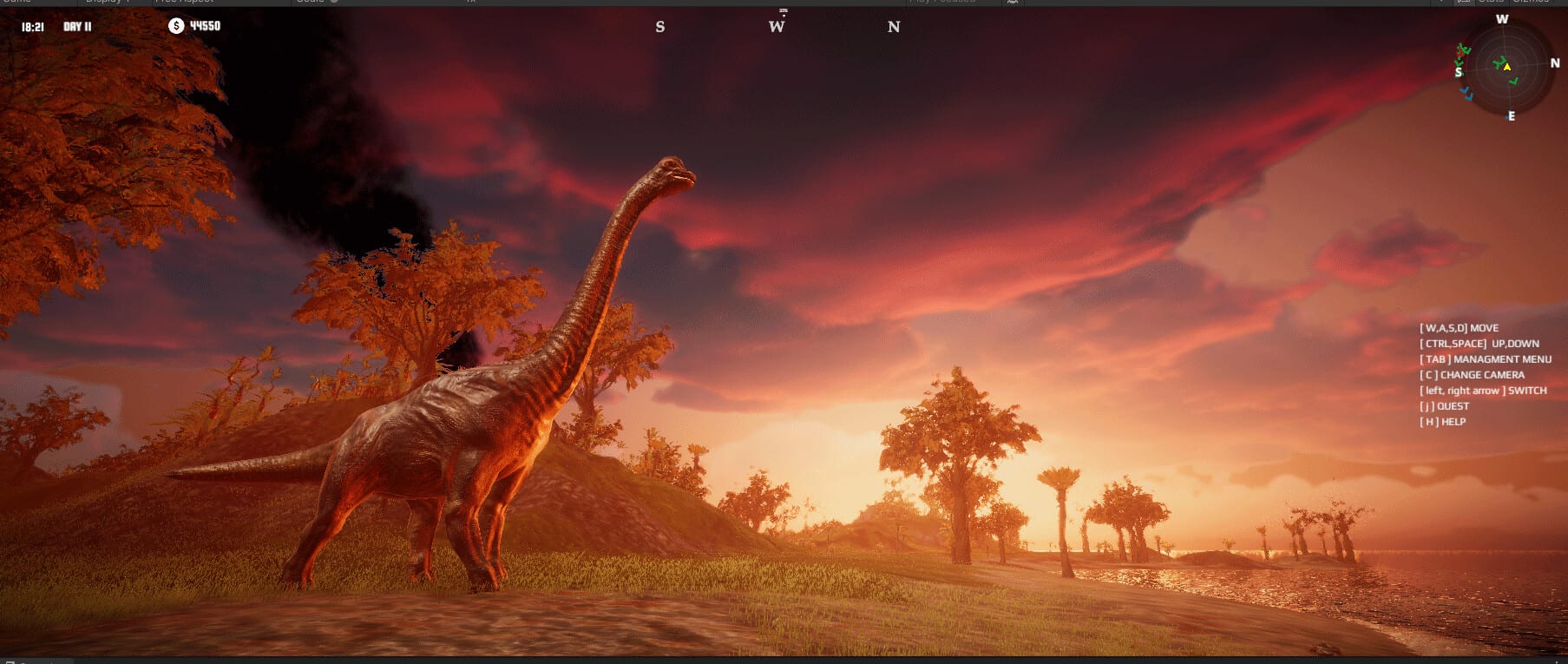
This controls reference prepares you for Dinosaur by Dinosaur Master on Steam (app 3294300, August 13, 2026). Exact keybinds can be rebound in the shipping client, so treat this as a systems map: camera literacy, island editor flow, dinosaur possession, and mode-aware habits for Classic, Creative, and FPS Survival. The game is English-only in-game—learn the English label for every action you care about.
Pair this page with control dinosaurs, Getting Started, and the parent Tools Hub.
Mental model: three control layers
- Island camera — scout biomes across fifteen maps, frame herds, plan dens
- Editor tools — raise terrain, paint water, place nesting context (deep dive: island editor)
- Dinosaur possession — inhabit any animal to test needs paths and hunts
Flip deliberately between layers. Most failed islands come from editing without possession proof, or possessing without ever fixing the terrain that caused the hunger spiral.
Camera habits that matter
- Orbit high to judge forage contiguity before stocking
- Drop low along planned hunting lanes from the carnivores guide
- Check coastlines for shelf depth before aquatic and pterosaur placement
- In split-screen, agree who owns free-cam so views do not fight—see local co-op
Editor control priorities
When brushes are active:
- Block out water first on arid seeds
- Lay forage belts before decorative spikes
- Reserve cliff launches if pterosaurs are in the plan
- Stamp nesting pads with escape space
- Save before experimental megaslides
Use the island planner as a verbal checklist while you work. Creative mode is the practice range; Classic expects you to already know which brush mistakes starve S-tier animals on the needs tier list.
Possession controls mindset
While controlling a dinosaur:
- Complete a full hunger/thirst loop before trusting the biome
- Test refuge paths if carnivores exist
- For flyers, verify launch and landing, not just takeoff screenshots
- Exit possession and fix terrain immediately when a loop fails
Symbiosis context lives in ecosystem symbiosis. Herbivore-first stocking notes are on herbivores.
Mode-specific control notes
Classic. Prefer deliberate swaps: edit → possess → edit. Avoid constant god-brushing while herds panic.
Creative. Freely rebind and experiment; still practice the same possession proofs so Classic transfers.
FPS Survival. Your avatar controls become survival controls. Read FPS Survival and game modes. Keep predator counts sane.
Co-op and Remote Play
Share this page before Remote Play nights. Guests should know how to stop editing if they only meant to scout. Controllers are partially supported per Steam feature flags—test your pads before invite night. Confirm hardware on system requirements. No codes menu hides alternate binds; official destinations stay on the Links Hub.
Mastering controls is less about memorizing every key and more about respecting the camera–editor–possession triangle until it becomes muscle memory across the whole roster.
Practice drills (fifteen minutes)
Run these drills in Creative before trusting Classic:
Drill A — Camera audit. Orbit a half-built island and list three forage gaps out loud.
Drill B — Water first. Delete a pond, rebuild it cleaner, and re-path a herbivore to drink.
Drill C — Possession proof. Inhabit a mid herbivore for two full needs cycles without opening the editor.
Drill D — Lane walk. Place a soft carnivore dens marker, walk prey refuge paths, then remove the dens if escapes fail.
Drill E — Flyer brief. If cliffs exist, take off, land, and note whether the landing shelf needs widening.
Co-op pairs can alternate drills so both players build the same instincts. Log failures beside your island planner checklist. Controls mastery shows up as fewer panic edits after you open carnivores night.
Frequently Asked Questions
Quick answers about Dinosaur on Steam.
Will this page list every default keybind?
It maps systems and habits. Confirm final defaults in the shipping options menu and rebind as needed.
What should I practice first?
Camera scouting, basic water/forage brushes, then possessing a mid herbivore through a full needs loop.
Do FPS Survival controls differ?
You still use editor and possession tools, but on-foot survival movement and threat awareness become critical.
Should co-op partners use the same binds?
Matching core actions reduces confusion, especially when swapping editor and scout roles mid-session.