Dinosaur Island Editor Guide
Shape terrain, place species cleanly, and keep ~15 maps readable for Classic, Creative, and Survival play.
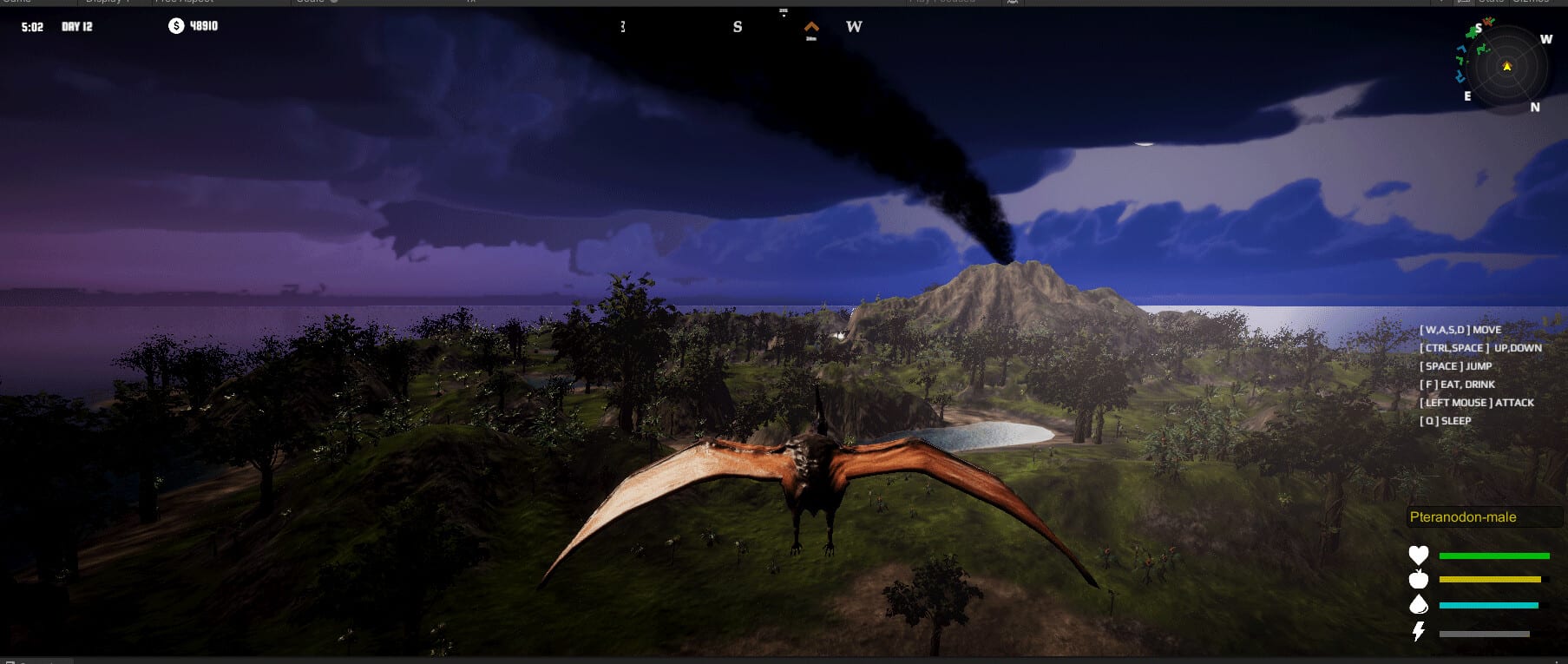
The island editor is the core toy in Dinosaur, the upcoming Steam PC simulation from Dinosaur Master (app 3294300, release August 13, 2026). Whether you play Classic, Creative, or FPS Survival, almost every successful session starts with readable terrain, honest water access, and placement that respects the 40+ species roster (male/female variants near eighty). This guide focuses on editor workflow: picking among roughly fifteen maps, sculpting staging areas, placing herbivores before apex threats, and leaving room for aquatic dinosaurs and pterosaurs without turning the island into a maze.
If you are brand new, skim Getting Started first, then return here with a disposable Creative save. Pair this page with the Island Planner when you want a written layout before you touch brushes.
What the editor is for
Dinosaur’s pitch is simple: create your own island without artificial “you may not build here” walls, then populate it and keep species in mutual symbiosis. The editor is where you define the physical rules of that story—ridges that block herds, coastlines that invite aquatic species, open flats that make Classic management easy, and vertical features that change how personally controlled dinosaurs move in FPS Survival.
English-only UI means tool names and needs callouts stay consistent; learn them once on a small map and they transfer across the roster. There are no redeem codes that unlock editor cosmetics—progress is your skill with terrain and populations. Confirm that on Codes if needed, then invest practice time here instead.
Choosing among ~15 maps
Treat the map list as difficulty and fantasy selectors, not just wallpaper:
- Compact maps teach density and conflict quickly—great for tutorials and co-op demos.
- Coastal maps reward aquatic planning and force you to think about beaches as highways.
- Inland highland maps punish careless carnivore drops because escape routes shrink.
- Wide open maps tempt over-placement; set soft population caps before you fill every biome.
For your first serious island, pick a mid-size layout you can survey in one camera sweep. Save the most sprawling canvases for Creative showpieces after you understand needs. Mode still matters: Creative forgives bad corridors; Classic and FPS Survival will not. Re-read Game Modes if you are unsure which failure state you want to practice against.
Terrain habits that prevent future pain
Staging flats. Carve at least one flat “arrival yard” near water. New herbivores spawn or drop into chaos when they land on steep slopes.
Corridors with purpose. Narrow canyons look dramatic but funnel predators into endless contact. Widen primary herd paths and keep one intentional chokepoint if you want controlled hunting later.
Water as infrastructure. Aquatic dinosaurs need continuous, reachable water—not decorative puddles. Connect lakes to coasts when you plan mixed land/water food webs.
Vertical clearance. Pterosaurs need travel lanes. Avoid stacking tall clutter everywhere if you expect aerial species to thrive.
Buffer biomes. Leave empty belts between experimental groups. When a mix fails, you can quarantine without deleting half the island.
Performance-aware detail. Dense forests, huge herds, and dual split-screen cameras add cost. Check System Requirements and simplify props before you blame a bug.
Placement order that matches the roster
Dinosaur’s roster covers herbivores, carnivores, aquatic dinosaurs, and pterosaurs. A stable editor session usually follows this order:
- Lock water and forage zones.
- Place a small compatible herbivore set (consider male/female variants as part of the ~80 count, not as free doubles of demand).
- Observe movement for several cycles—on foot if needed via Control Dinosaurs.
- Add aquatic species only after water routes are proven.
- Introduce carnivores against prey density you can renew.
- Add pterosaurs once ground traffic is predictable.
Jumping straight to apex carnivores on a barren map is the most common restart loop. Use Ecosystem & Symbiosis for the biological logic, and the Tier List when you want “safe early” versus “expert only” picks.
Editor workflow for Classic vs Creative vs FPS Survival
Creative. Build freely, duplicate layouts, and stress-test weird mixes. Still keep naming conventions for zones so co-op partners can navigate. Creative is the best mode to learn brushes without losing a carefully balanced Classic economy.
Classic. Edit as if every ridge changes carrying capacity. Prefer clearer sightlines for management cameras. After edits, watch needs before you celebrate the skyline.
FPS Survival. Terrain is cover, ambush, and escape. Avoid decorative traps that kill the player-controlled dinosaur unfairly. Build landmark rocks and coastline silhouettes you can recognize while sprinting. Details live in FPS Survival.
Co-op editing without overwriting each other
Local split-screen co-op and Remote Play Together shine in the editor when roles are explicit: Player A sculpts coastline; Player B places starter herds; both agree on a freeze before major carnivore drops. Read Local Co-op for setup and Controls for shared shortcuts. If one player prefers piloting animals while the other edits, schedule “control windows” so the island is not reshaped under someone’s feet.
Practical checklist before you call an island “done”
- Can herbivores reach food and water without crossing apex territory every thirty seconds?
- Are aquatic paths continuous at the waterline you actually modeled?
- Do pterosaur lanes cross open sky rather than knife-edge cliffs only?
- Is there a quarantine peninsula for failed experiments?
- Did you leave camera-friendly overlooks for Classic management?
- Would a personally controlled mid-tier dinosaur survive a short patrol without clipping into unclimbable geometry?
If any answer is no, fix terrain before adding more species. The editor’s job is to make symbiosis possible; species pages and the tier list cannot rescue a map that starves animals by design.
Linking editor practice to the rest of the wiki
After a clean training map, deepen balance with Ecosystem & Symbiosis, practice piloting on Control Dinosaurs, and decide your long-term mode on Game Modes. Track launch timing on Release Date—Dinosaur remains upcoming until August 13, 2026 on Steam Windows—and use the Wiki when you need a single overview that points back into this guide tree. Keep building small, readable islands until the editor feels like a language you speak, not a menu you fight.
Frequently Asked Questions
Quick answers about Dinosaur on Steam.
How many maps does the Dinosaur island editor include?
Expect about fifteen maps. Start on a mid-size layout you can survey quickly, then move to larger canvases once placement and water routes feel natural.
Should I edit in Creative or Classic while learning?
Creative is safer for learning brushes and density. Classic is better once you want terrain mistakes to show up as real needs failures. FPS Survival maps should be playtested with personal control after the layout stabilizes.
What is the best order to place dinosaur types?
Water and forage first, then herbivores, then aquatic species, then carnivores, then pterosaurs. Adding apex predators first usually collapses the island before symbiosis can form.
Does the editor unlock through redeem codes?
No. Dinosaur has no redeem codes. Editor skill and map choice matter more than any code workflow—see the Codes page for confirmation.
Can two players edit together?
Yes via local split-screen co-op or Remote Play Together. Assign roles, share control references, and freeze major terrain changes before large carnivore placements.