Dinosaur Local Split-Screen Co-op Guide
Share one PC, one island, and clear roles so herds survive dual input.
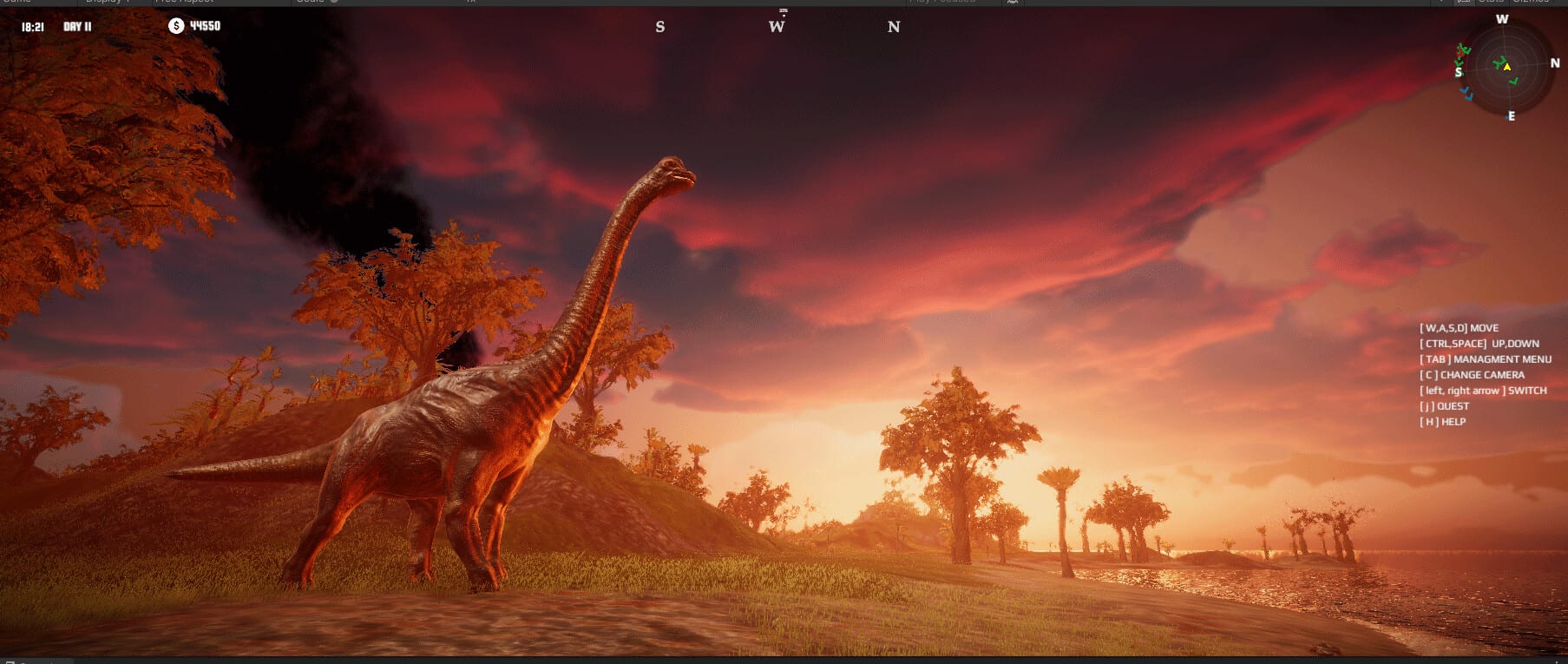
Local split-screen co-op is the couch-friendly way to play Dinosaur by Dinosaur Master (Steam app 3294300, August 13, 2026). Two players share one machine, carve the same island, and either sculpt terrain or possess dinosaurs without needing a second purchase for Remote Play. This guide covers role splits, mode choice, and stocking discipline across Classic, Creative, and FPS Survival.
Dinosaur’s pitch—unlimited island editor, 40+ species with ~80 male/female variants, fifteen maps, species needs, and direct control—gets better with a second pair of eyes. It also fails faster when both players spawn carnivores at once. Read the Multiplayer Hub for the overview, then use this page for couch specifics. Compare with Remote Play Together if a friend is online-only.
Pre-session checklist
- Confirm the host PC clears system requirements—split-screen costs GPU headroom.
- Decide the mode before launching: Creative for builds, Classic for economy proof, FPS Survival only if both know controls.
- Agree on English callouts (the game is English-only in-game).
- Assign Editor and Scout roles for the first thirty minutes.
- Set a carnivore budget neither player may exceed without a verbal check.
Best couch workflows
Editor + scout. Player A owns brushes, water, and nesting pads using habits from the island editor guide and island planner. Player B possesses herbivores or flyers via control dinosaurs to prove paths.
Keeper + warden. After the food floor exists, one player manages herbivores while the other watches carnivores. Keep the needs tier list visible on a phone if needed.
Coastal specialists. On shoreline maps, split aquatic shelves vs pterosaur cliffs—see aquatic and pterosaurs—so wet and flying niches do not fight for the same pixels.
Mode tips for split-screen
Creative. Ideal first night. Experiment freely, screenshot failures, rebuild. Use lessons in later Classic saves.
Classic. Treat every stocking as a joint economic decision. Pause to discuss before apex introductions.
FPS Survival. UI is busier and mistakes hurt. Skim FPS Survival and game modes. Keep early predator counts tiny.
Social rules that save islands
- No silent mega-terraforming while a partner is mid-possession
- Announce water deletions and dens moves
- Keep a recovery save before “funny” carnivore spikes
- Rotate who pilots vs who edits so both learn systems
- Ignore codes myths—there is nothing to redeem between rounds
Linked learning
New couch crews should open Getting Started, skim ecosystem symbiosis, and bookmark the Species Hub plus wiki links. Local co-op rewards clear speech more than flashy stocking: narrate needs, share the editor, and let the island—not the argument—be the spectacle.
Thirty-minute couch script
Use this timed script the first night you play together:
Minutes 0–5. Boot Creative on a simple inland map. Confirm both players can move the camera and open editor tools without fighting the UI. Skim English labels out loud.
Minutes 5–15. Player A blocks water and forage. Player B only watches, then possesses a foundation herbivore to walk the loop. Fix gaps immediately.
Minutes 15–25. Add nesting pads and a single optional aquatic cove if the map allows. Still no apex carnivores.
Minutes 25–30. Save, discuss whether Classic is earned, and only then plan a predator budget for the next session.
If you skip the script and jump straight into FPS Survival with dual apex stocking, you will learn chaos instead of systems. Repeat the script on a second map among the fifteen so the workflow transfers. Keep ecosystem symbiosis and the needs tier list linked in chat for quick reference mid-build.
Frequently Asked Questions
Quick answers about Dinosaur on Steam.
Do we need two Steam copies for local split-screen?
Local split-screen runs on the host PC session. Remote friends should use Remote Play Together instead.
What mode should couch players start in?
Creative for joint building practice, then Classic once both understand species needs.
How do we stop accidental overstocking?
Appoint one player as the only person allowed to raise carnivore counts without a spoken agreement.
Is split-screen harder on hardware?
Yes. Aim closer to recommended GPU and RAM targets when simulating dense herds on large maps.
Can three players join local split-screen?
Plan for two-player local sessions as the reliable couch path; check the shipping build if additional splits appear later.